
There are several ways to access blocked websites like using a VPN or proxy server. Unfortunately, most of these methods require specific setup and configuration before you can use them. If you are using a restricted connection, it is best to use any reliable and secure VPN service.
Thankfully, there are few other ways to access blocked web pages easily without setting up anything. And, using these methods doesn’t require any kind of technical expertise – even your grandmother can use these tricks! We are sharing three easiest tricks here: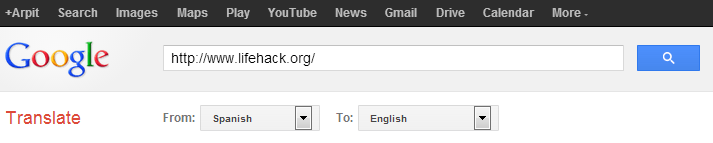 The only shortcoming of Google Translate is that it shows media resources like images etc. right from the original source, so you may not see them on web pages.
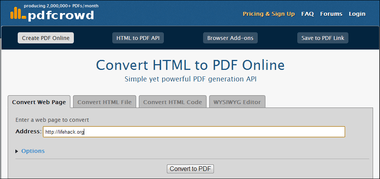
Thankfully, there are few other ways to access blocked web pages easily without setting up anything. And, using these methods doesn’t require any kind of technical expertise – even your grandmother can use these tricks! We are sharing three easiest tricks here:
- Use Google Translate: Google’s online translation service, Google Translate, is generally used for translating web pages from one language to another. It supports more than 70 languages including Arabic, Spanish, Hindi etc. You can easily use Google Translate for accessing blocked website. Visit Google Translate, enter the address of blocked page in the text area, select any language as source in the ‘from:’ dropdown list and ‘English’ (or your native language) as the destination language to translate.
The only shortcoming of Google Translate is that it shows media resources like images etc. right from the original source, so you may not see them on web pages.
- Use online screenshot generating tools: These tools generate full-page screenshots of web pages. Some recommended sites are URL2PNG.com, Snapito! and Web Screenshots.