
Project management doesn’t need to be a complicated thing, not if you have apps that make things a whole lot simpler. When you have project management apps, you can take care of your team, tasks and deadlines, without even being in the office. You don’t even have to spend a lot of money to get most of the apps you might need.
Having been a project manager for different projects over the past years, I've recommending these 7 project management apps to super boost your team's productivity: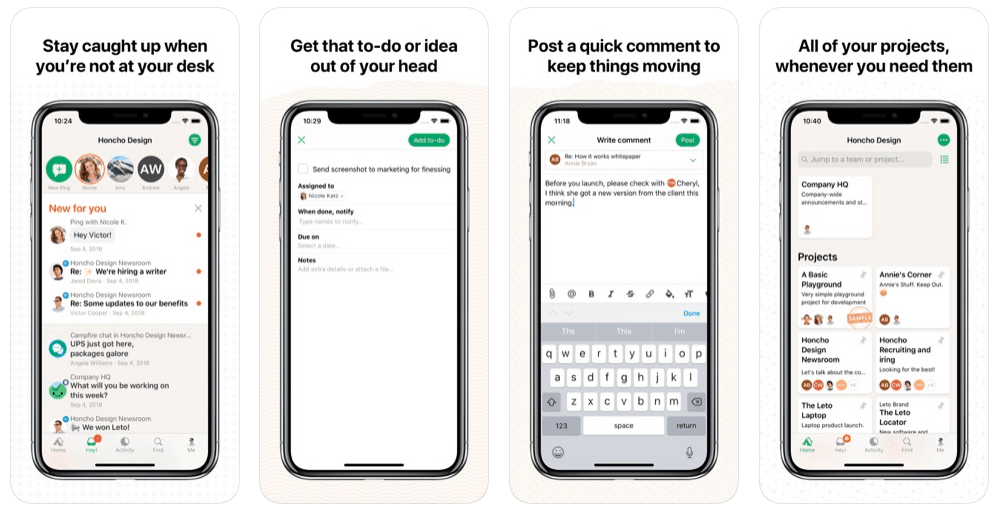
It’s probably the most well-known project management app out there. Basecamp allows you to organize projects that act as a central location for everything and contains such things as to-do lists, notes, events, files, and much more.
It is user-friendly, and has a free 30-day trial period. After that, the plan is $99 per month.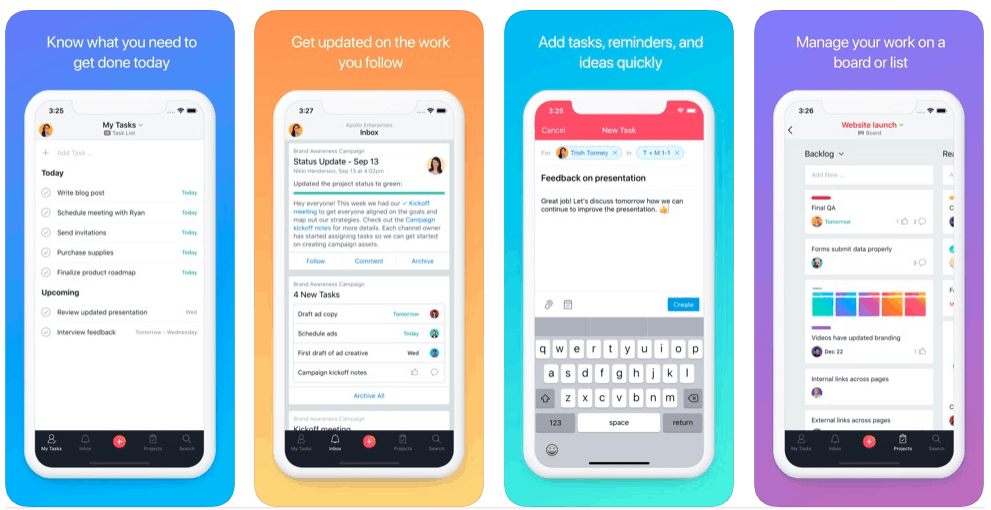
If you are looking for something that is not difficult to use, check out Asana. This is a great task management app that can be used for managing projects as well.
In a nutshell, Asana helps you create and share task lists with your team. The app is simple but smart enough and has got a lot of integrations. Teams with up to 15 members can use Asana for free. Teams with 15 members and up can choose plans that range from $10.99 per month.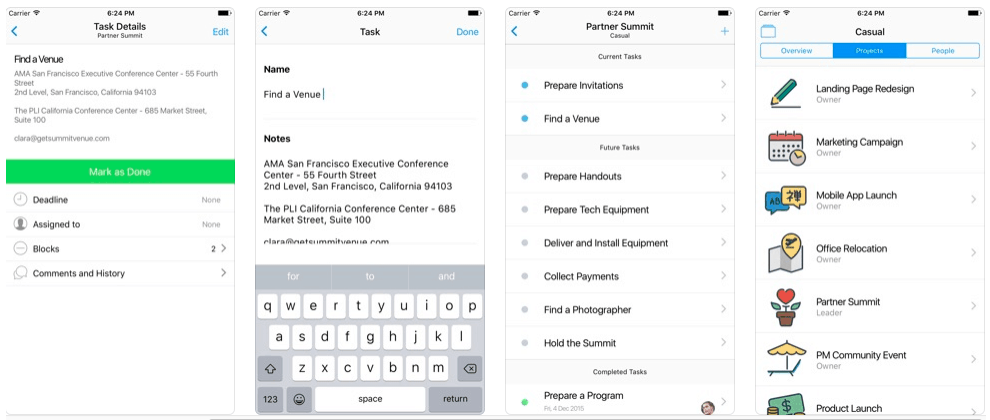
This is a unique app that offers a different way of doing things. On Casual, you plan your tasks just by drawing them as a flowchart. The neat thing is that Casual helps you visualize and track dependencies between tasks.
This app is incredibly intuitive and works great for personal projects, as well as for organizing projects for small teams. You can try it for free, and if you don’t like it, there is no obligation to pay for anything.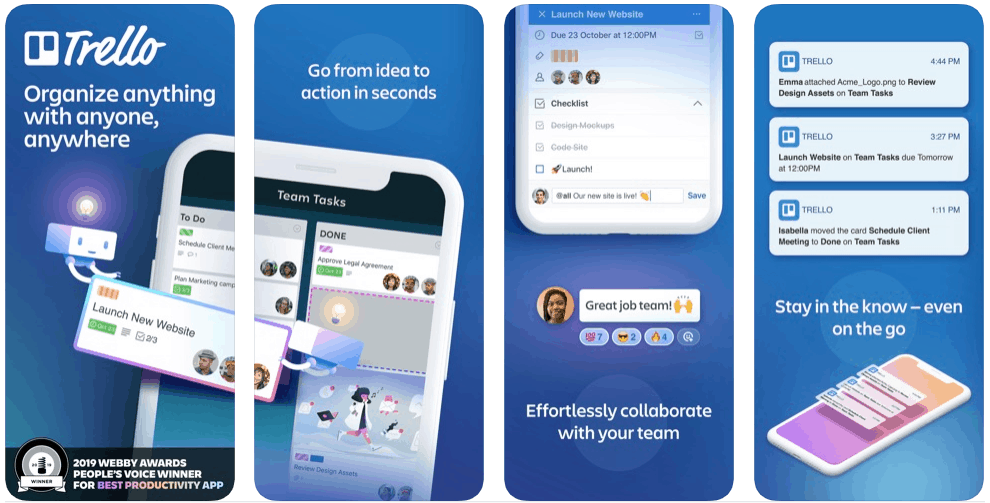
This app is incredibly user-friendly, and is based on Kanban boards. Trello actually works like a virtual whiteboard with post-it-notes.
Trello is great for organizing your to-do lists, ideas, and is very easy to use. You can create several boards to use for various projects, and it’s free of cost. Trello is available to iOS and Android users as well.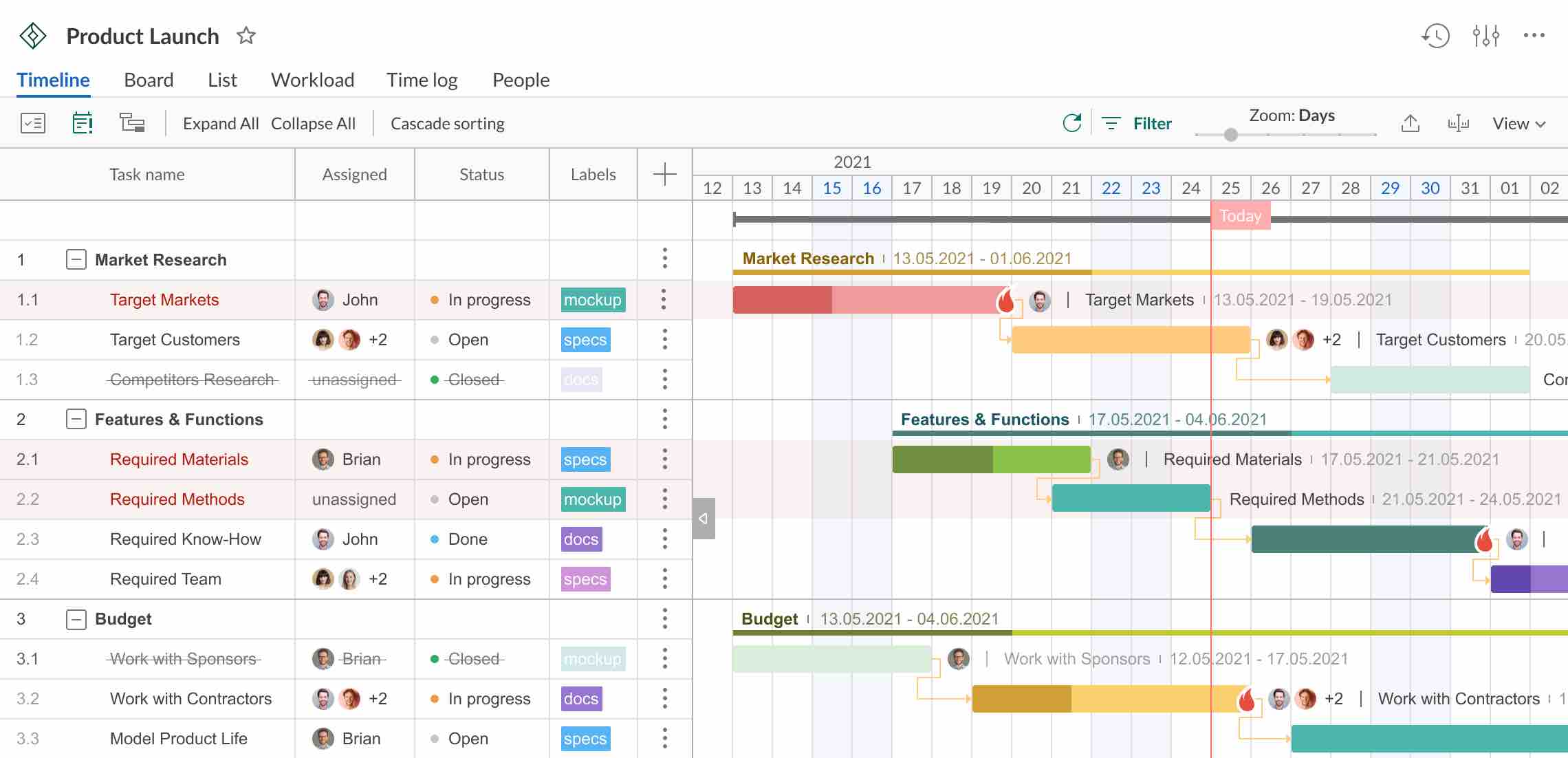 GanttPRO is a project management app based on Gantt charts. Users call it a simple-to-use yet powerful alternative to Microsoft Project.
The software allows breaking big tasks into smaller activities on a visually appealing timeline, working with resources and their workload, collaborating with the team, logging time, and doing many other project-related activities.
It offers a 14-day free trial. Paid pricing depends on what you need from the app. There are versions for iOS and Android.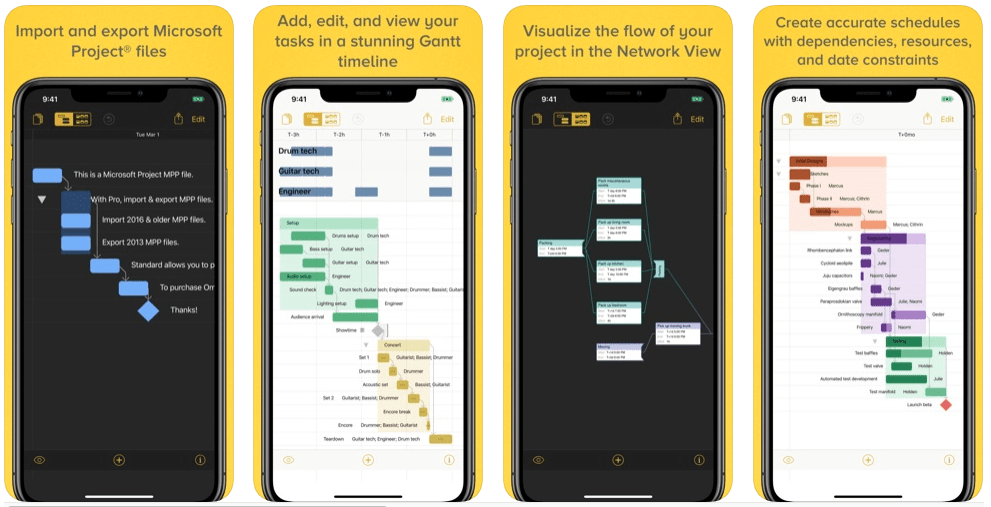
This is an awesome app for iPhone and iPad users. If you love Gantt charts, OmniPlan is definitely an app that you can get a lot out of.
You start out by creating a simple project outline. Then you can use the app to help you through every step of the project until its completion.
A standard plan for iOS costs just $99.99, and the pro plan is only $199.99.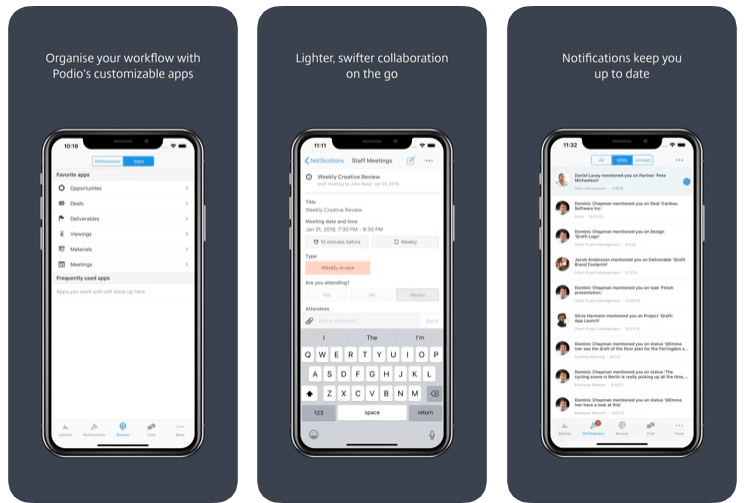
Podio is a great app for medium and large-sized teams working on projects. The special point about Podio is that there are additional features such as CRM and social intranet.
There are four different packages: Free, which is free for up to five employees and five external users; Basic, which is $9 per month per employee; Plus, which is $14 per month per employee, and Premium, which is $24 per month per employee.
Having been a project manager for different projects over the past years, I've recommending these 7 project management apps to super boost your team's productivity:
1. Basecamp
It’s probably the most well-known project management app out there. Basecamp allows you to organize projects that act as a central location for everything and contains such things as to-do lists, notes, events, files, and much more.
It is user-friendly, and has a free 30-day trial period. After that, the plan is $99 per month.
2. Asana
If you are looking for something that is not difficult to use, check out Asana. This is a great task management app that can be used for managing projects as well.
In a nutshell, Asana helps you create and share task lists with your team. The app is simple but smart enough and has got a lot of integrations. Teams with up to 15 members can use Asana for free. Teams with 15 members and up can choose plans that range from $10.99 per month.
3. Casual
This is a unique app that offers a different way of doing things. On Casual, you plan your tasks just by drawing them as a flowchart. The neat thing is that Casual helps you visualize and track dependencies between tasks.
This app is incredibly intuitive and works great for personal projects, as well as for organizing projects for small teams. You can try it for free, and if you don’t like it, there is no obligation to pay for anything.
4. Trello
This app is incredibly user-friendly, and is based on Kanban boards. Trello actually works like a virtual whiteboard with post-it-notes.
Trello is great for organizing your to-do lists, ideas, and is very easy to use. You can create several boards to use for various projects, and it’s free of cost. Trello is available to iOS and Android users as well.
5. GanttPRO
GanttPRO is a project management app based on Gantt charts. Users call it a simple-to-use yet powerful alternative to Microsoft Project.The software allows breaking big tasks into smaller activities on a visually appealing timeline, working with resources and their workload, collaborating with the team, logging time, and doing many other project-related activities.
It offers a 14-day free trial. Paid pricing depends on what you need from the app. There are versions for iOS and Android.
6. OmniPlan
This is an awesome app for iPhone and iPad users. If you love Gantt charts, OmniPlan is definitely an app that you can get a lot out of.
You start out by creating a simple project outline. Then you can use the app to help you through every step of the project until its completion.
A standard plan for iOS costs just $99.99, and the pro plan is only $199.99.
7. Podio
Podio is a great app for medium and large-sized teams working on projects. The special point about Podio is that there are additional features such as CRM and social intranet.
There are four different packages: Free, which is free for up to five employees and five external users; Basic, which is $9 per month per employee; Plus, which is $14 per month per employee, and Premium, which is $24 per month per employee.