
When you wander around your city, you might find interesting places you'd like to try. Perhaps you're travelling, and your friend gives you lots of recommendations for your destination. It's common practice to bookmark the restaurants and attractions you want to check out in the future.
As you plan your next adventure, you may have a list of must-try places on your phone. Unfortunately, having the addresses for these places in list form makes it hard to visualize your route. You need a map of places you want to go. Instead of making a bucket list, you need a "bucket map."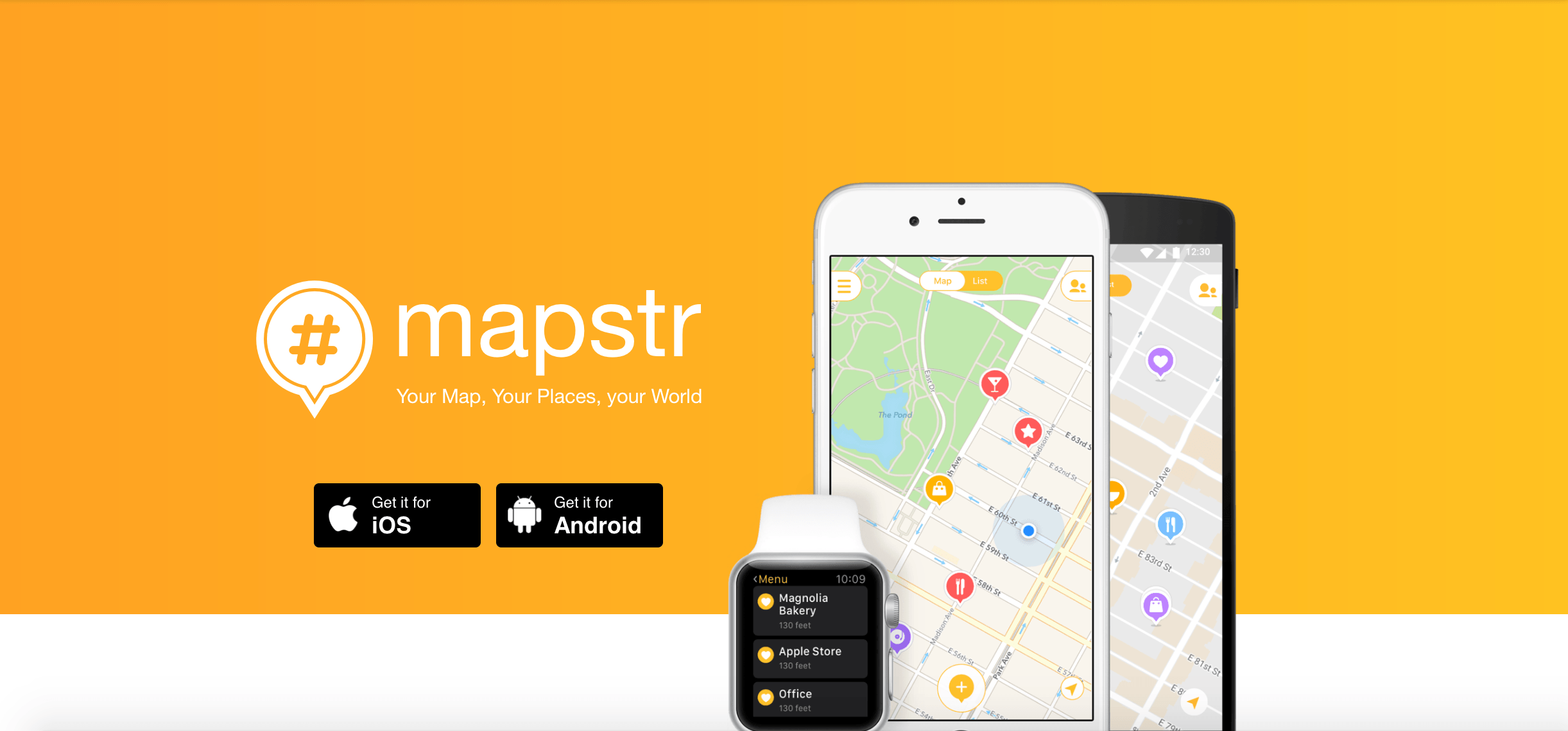 Instead of spending all your time trying to sift through notes with recommendations, you can use Mapstr to make a map of attractions for yourself. Mapstr allows you search for places on your bucket list and pin locations that interest you. You can categorize the places to make them easy to find.
This app not only helps you stay organized, but you can also share maps with your friends.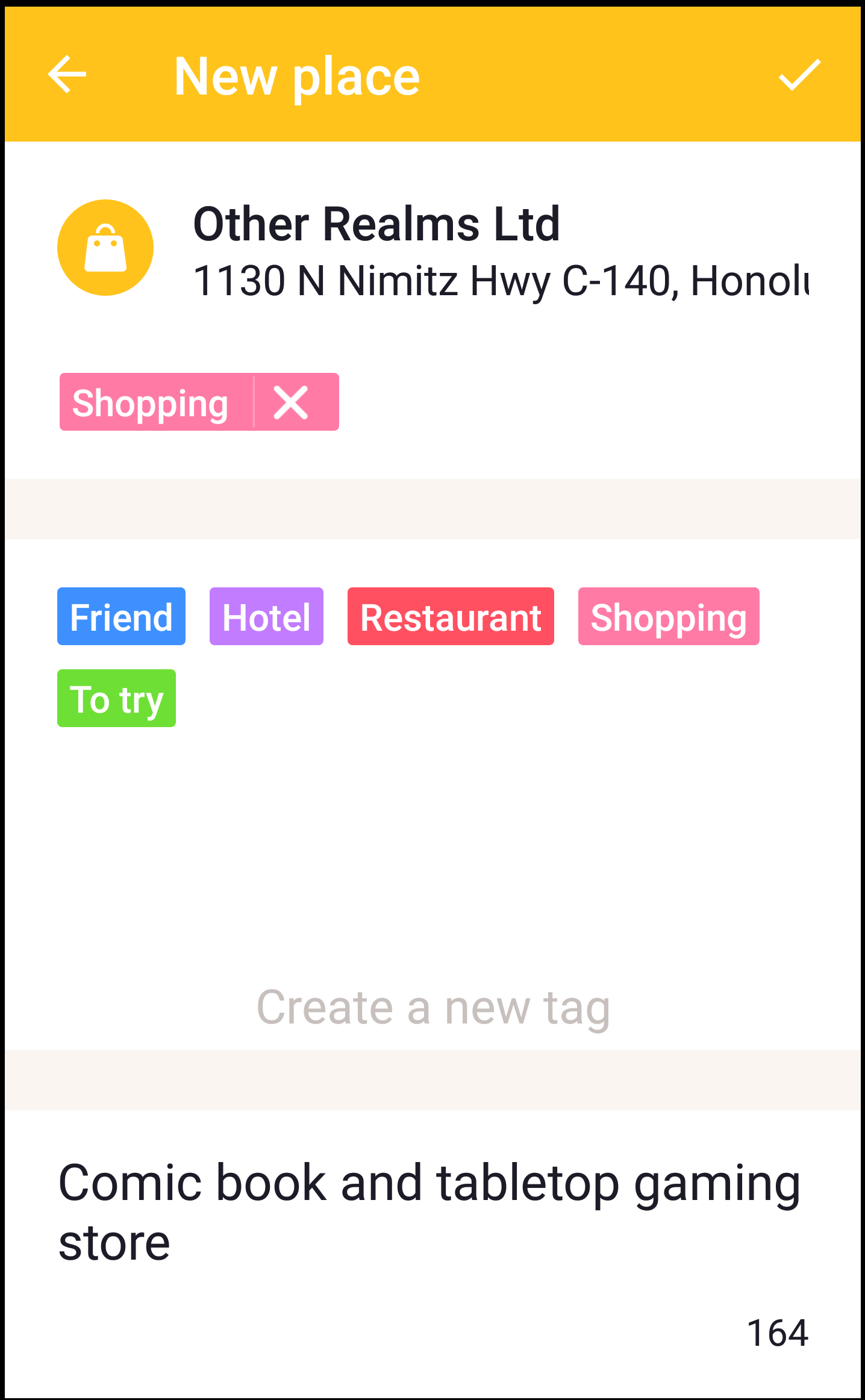 After typing in the name of the location, Mapstr took me to a page with the address and some pre-existing information about the location, such as pictures and a phone number.
The space below the address allows you to tag this business as a specific type of service. I categorized this as a shopping location and included the brief description so that I could remember my interest in the location.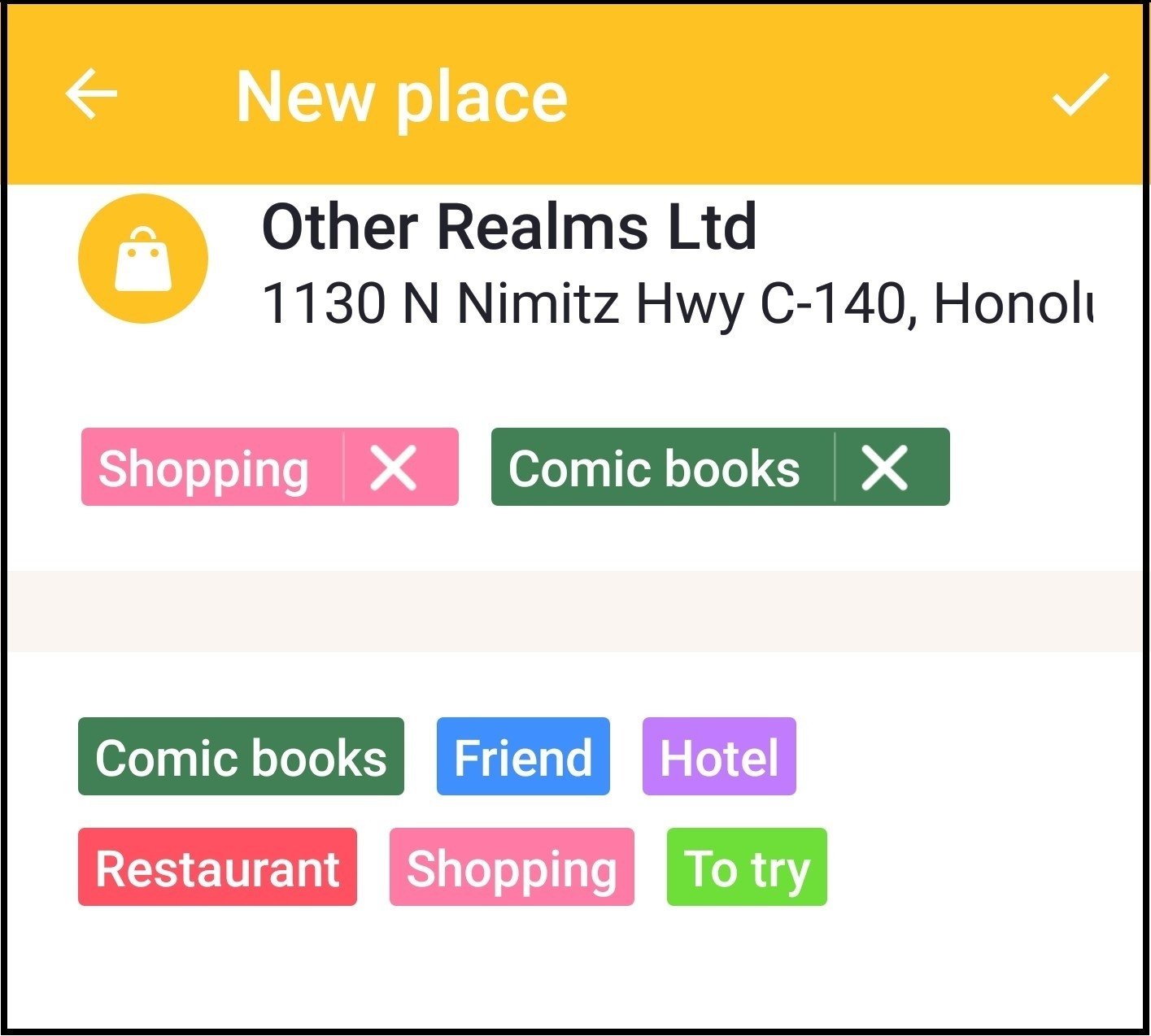 Type the name of the custom tag where it says "create a new tag." You can even select a color to distinguish your custom tab from the presets. As you can see, I have tagged this place as an area that is good for shopping and comic books.
When you've settled on the tags you want to use, hit the check mark in the top right corner to save your location.
After you've added locations, you can search them by either clicking on the map, or checking the list. In the top left hand corner of the app's home page, you will notice a menu button. Clicking on the menu button gives you a list of categories.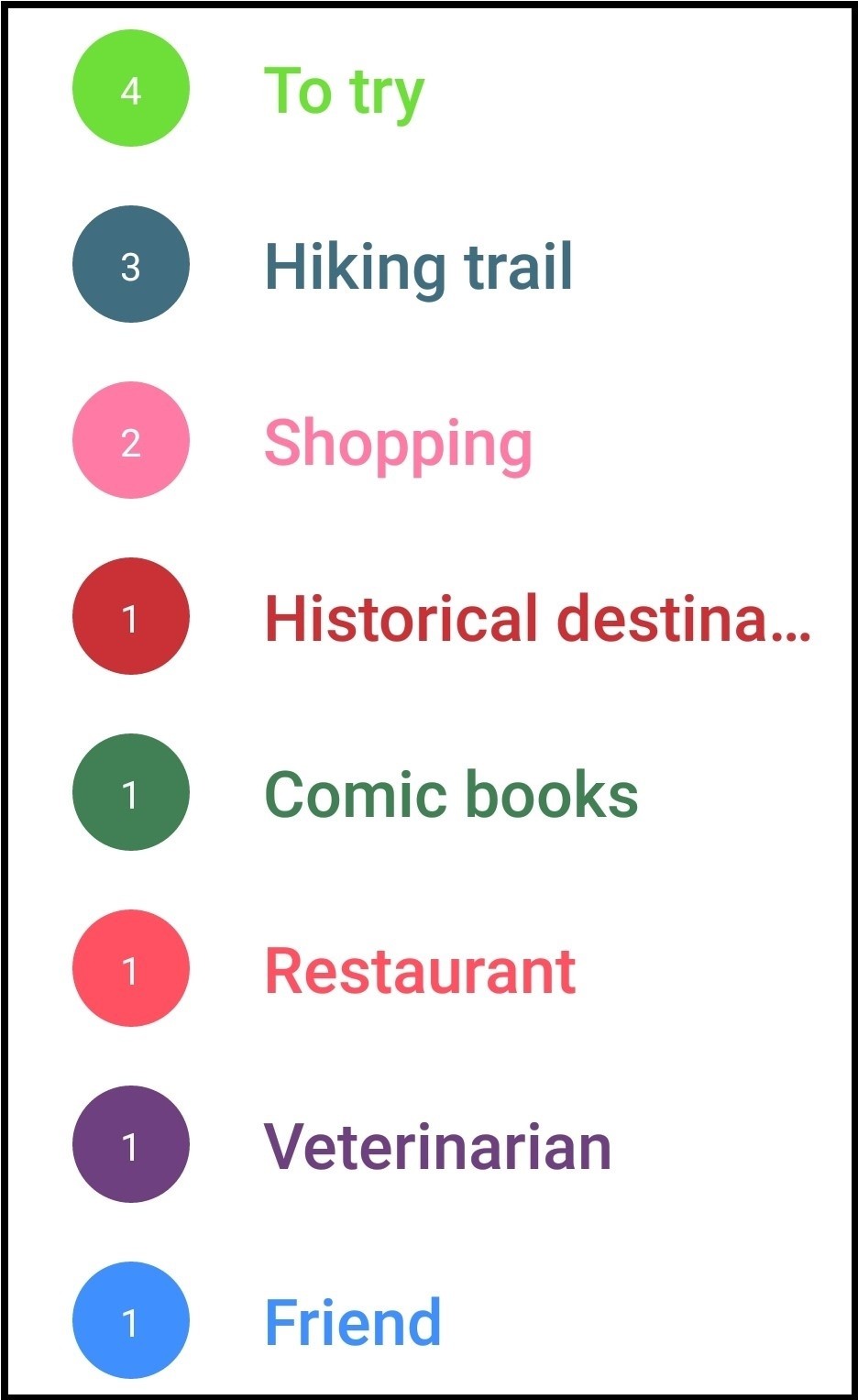 You can select one or more of those categories to display the places of interest. If I wanted to go hiking, I could filter my map to only show locations I have labeled as hiking trails. This is so much easier than searching through pins.
To share your map, click on the icon that looks like two people in the top right corner of the screen. This opens the "My friends" tab. You can add new friends by clicking on the plus sign icon to find people, share your profile with others, or invite friends.
You can also share your map on social media by clicking on the sharing icon with the arrow on the bottom right.
Mapstr lets you tailor and share maps from Google to meet your needs. The customizable tabs and photos make it so much easier to sort through attractions and plan your trips.
Mapstr is available for free for iOS and Android devices. Get it today and start planning your next outing.
As you plan your next adventure, you may have a list of must-try places on your phone. Unfortunately, having the addresses for these places in list form makes it hard to visualize your route. You need a map of places you want to go. Instead of making a bucket list, you need a "bucket map."
You need a personalized adventure map
Instead of spending all your time trying to sift through notes with recommendations, you can use Mapstr to make a map of attractions for yourself. Mapstr allows you search for places on your bucket list and pin locations that interest you. You can categorize the places to make them easy to find.This app not only helps you stay organized, but you can also share maps with your friends.
Why Mapstr is a must have on your phone
Whether you're going on a trip and want to make the most of your time, or you're exploring your city, Mapstr makes it easier than ever to decide where to go next.1. Add places that you want to visit
To add a new place, click the plus sign at the bottom of the page. You'll have the option to search a location's name or drop a pin. For this example, my friend has just recommended a place where I can buy comic books and gaming items. If I know the location, I can pin it. Otherwise, I'll need to search for the name.
After typing in the name of the location, Mapstr took me to a page with the address and some pre-existing information about the location, such as pictures and a phone number.The space below the address allows you to tag this business as a specific type of service. I categorized this as a shopping location and included the brief description so that I could remember my interest in the location.
2. Create custom tags for faster search and organisation
In addition to the preset tags, "shopping," "friend," "hotel," "restaurant," and "to try," you can use the space below those options to create your own tag. For example, if I loved going to comic book stores on the weekends, I might want to create a "comic books" tag so that I can find similar stores quickly.
Type the name of the custom tag where it says "create a new tag." You can even select a color to distinguish your custom tab from the presets. As you can see, I have tagged this place as an area that is good for shopping and comic books.When you've settled on the tags you want to use, hit the check mark in the top right corner to save your location.
After you've added locations, you can search them by either clicking on the map, or checking the list. In the top left hand corner of the app's home page, you will notice a menu button. Clicking on the menu button gives you a list of categories.
You can select one or more of those categories to display the places of interest. If I wanted to go hiking, I could filter my map to only show locations I have labeled as hiking trails. This is so much easier than searching through pins.
3. Share your map with friends
One of the coolest features of Mapstr is that you can share your maps with your friends. You can also make custom maps to share with your family when they come to visit so that they know where to find the best spots in town.To share your map, click on the icon that looks like two people in the top right corner of the screen.
This opens the "My friends" tab. You can add new friends by clicking on the plus sign icon to find people, share your profile with others, or invite friends.You can also share your map on social media by clicking on the sharing icon with the arrow on the bottom right.
Using Mapstr makes planning easier
When it comes to creating a personalized map of places you want to see, Mapstr offers a much better interface than Google Maps.Mapstr lets you tailor and share maps from Google to meet your needs. The customizable tabs and photos make it so much easier to sort through attractions and plan your trips.
Download Mapstr to organize must-see locations
Mapstr has the functionality you've been wanting in Google Maps but didn't realize you were missing. You'll never have to worry about forgetting an amazing recommendation again. Now you just have to make time to try all the places on your map.Mapstr is available for free for iOS and Android devices. Get it today and start planning your next outing.